Advanced Options
This provides access to some of the advanced settings for Picard.
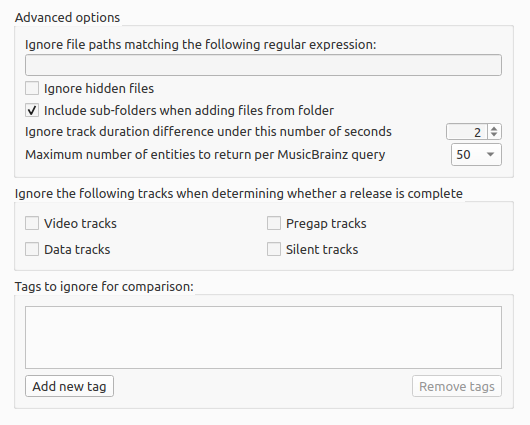
Include sub-folders when adding files from folder
If this option is enabled Picard will load all audio files in the selected directory and all its subdirectories. If disabled only audio files in the selected directory will be loaded.
Ignore hidden files
If this option is enabled then hidden files and directories will not be loaded. This also includes any file or subdirectory inside a hidden directory.
Ignore file paths matching the following regular expression
You can specify patterns for files and directories that Picard should never load. For example, if you set this to the regular expression
\.bak$any file ending in “.bak” will be ignored when loading files.
Test file path matching
This area allows you to enter file paths, one per line, to test your regular expression. If a file path is marked in red, it does not match your regular expression and will be loaded. A file path marked green matches your regular expression and will not be loaded.
Note
This list of test file paths will be cleared when you exit the configuration section.
See also
Details: Matching / Sessions / Maintenance