General Options
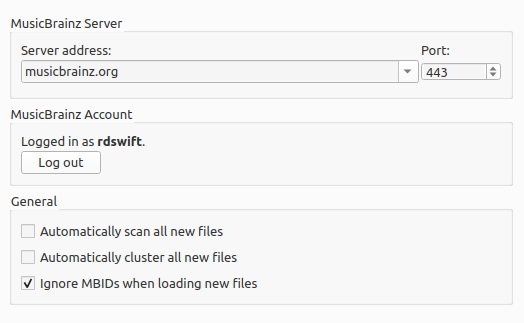
Server address
The domain name for the MusicBrainz database server used by Picard to get details of your music. Default value: musicbrainz.org (for the main MusicBrainz server).
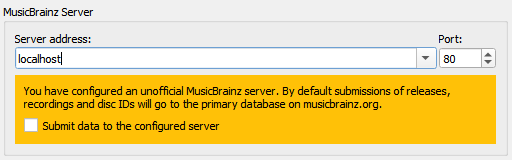
In addition to the standard MusicBrainz servers provided in the drop down list, you can manually enter an alternate address, such as “localhost” if you are running a local copy of the server. When an alternate server host name is entered, a warning will be displayed and you will be asked to confirm that you want to submit all data to this alternate server.
Port
The port number for the server. Default value: 443 (for the main MusicBrainz server).
Enable managing user collections
This option allows you to partially manage your MusicBrainz collections from within Picard. It provides a context (right-click) menu item for each album in the Album pane to display your collections and whether or not the album belongs to a collection. It will also automatically add any new albums to your collections when the album is saved. See the Collections documentation on the MusicBrainz website for additional information regarding collections.
Remove complete albums after saving
With this option enabled, Picard will remove complete albums from the Album pane after they have been saved. This can help reduce clutter in the user interface, especially when working with large collections. If you disable this option, albums will remain in the Album pane after saving, and you will need to remove them manually.
Albums will be removed only after files have been matched to all tracks on the album, and all files in the album have been saved.