Hoesafbeeldingen instellen
Zodra de informatie over de uitgave is geladen, wordt bij het selecteren van een uitgave of nummer in het rechter deelvenster zowel de al aanwezige als de nieuwe hoesafbeelding weergegeven. Je kan de afbeelding voor de geselecteerde uitgave of het geselecteerde nummer eenvoudig vervangen door het bestand van de verkenner naar de afbeelding onder ‘Nieuwe afbeelding’ te verslepen.
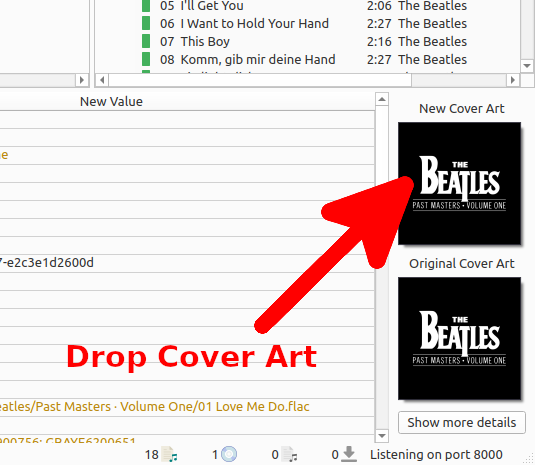
By right clicking on the image and selecting from the menu, you can choose a local file as the cover art.
The context menu also provides several additional options:
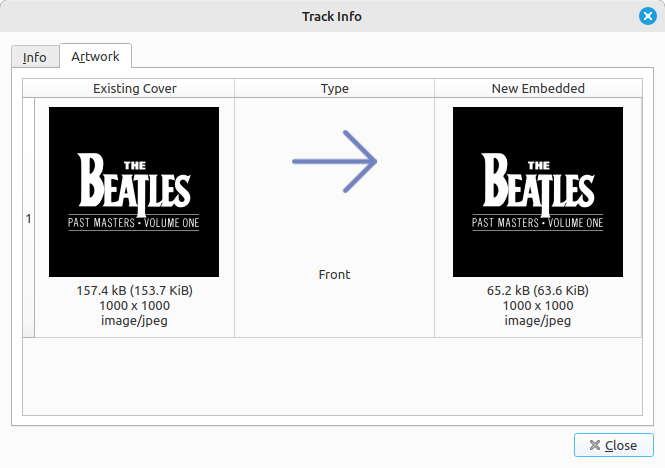
opens the cover art information window showing detailed information about the selected artwork.
restores the original artwork if new cover art has been downloaded or added.
allows selecting one or more image files from the local filesystem to use as cover art.
downloads an image from a specified URL and adds it as cover art.
The menu also includes options controlling how newly added images are handled:
replaces the existing front cover image.
adds the new image while keeping the existing artwork.
Selecting will bring up a new window as:
Als je op een afbeelding dubbelklikt, wordt ze geopend in het standaardprogramma van je systeem voor dat type bestand.